
Infovion JMS · Jewellery management software
Jewellery software that bills by weight, not by guesswork.
Billing with purity, rate per gram and making charges, GST invoices, girvi (gold loans), udhaar and stock — one simple system for jewellery stores. Runs in any browser; nothing to install.
- Billing by weight & purity
- Making charges
- Old gold exchange
- GST invoices
- HUID
- WhatsApp PDF
- Girvi / gahan
- Udhaar ledger
- Stock by weight
- Tally export
What is Infovion JMS?
Infovion JMS is jewellery management software for jewellery stores. It handles billing by weight, purity and making charges, GST invoices, old-gold exchange, girvi (gold loans), udhaar (customer credit), stock and reports, and runs in any web browser.
Billing & GST invoices
A correct jewellery bill in under a minute.
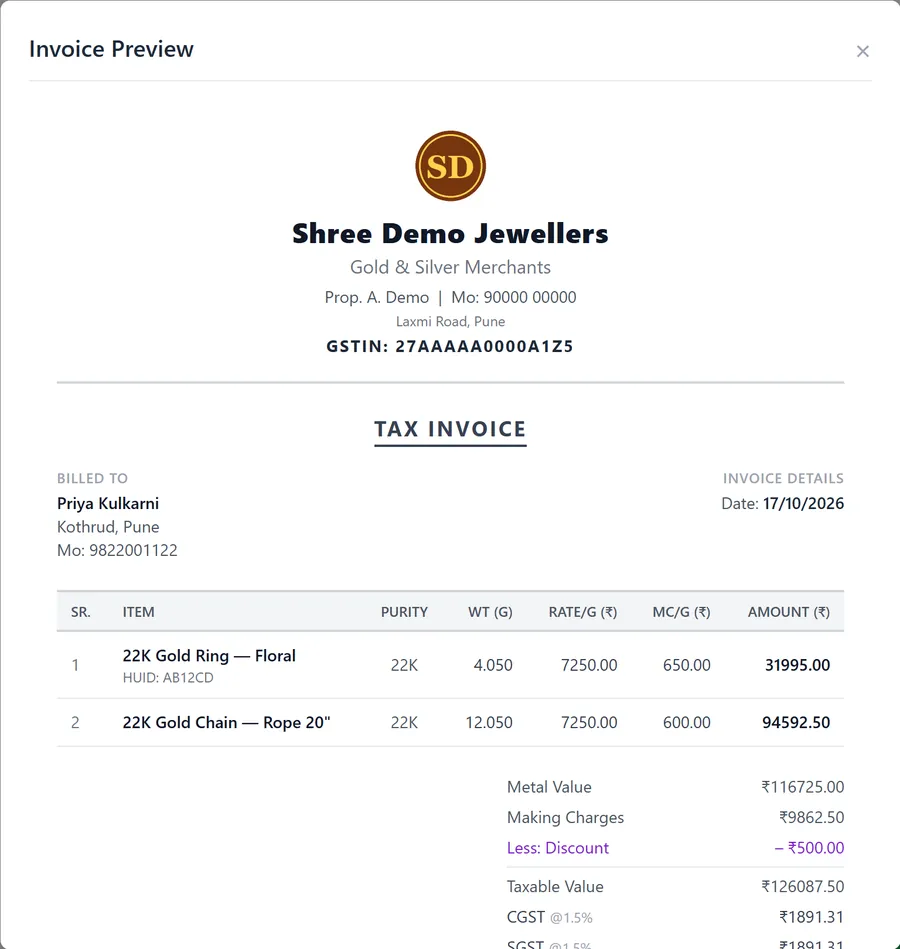
Pick the piece and JMS fills in its weight and rate. Adjust purity, rate per gram and making charge per gram on the bill; the discount comes off before GST, GST is charged on the full value with the CGST/SGST split, and old gold or an advance comes off the balance.
- Weight × rate per gram for every line
- Purity per item: 22K (916), 18K (750), 925 silver…
- Making charges per gram
- HUID recorded on the invoice line
- Discount before GST, CGST/SGST shown
- Print on A4 or send as a PDF on WhatsApp
Girvi / gahan
Every gold loan, tracked to the day.
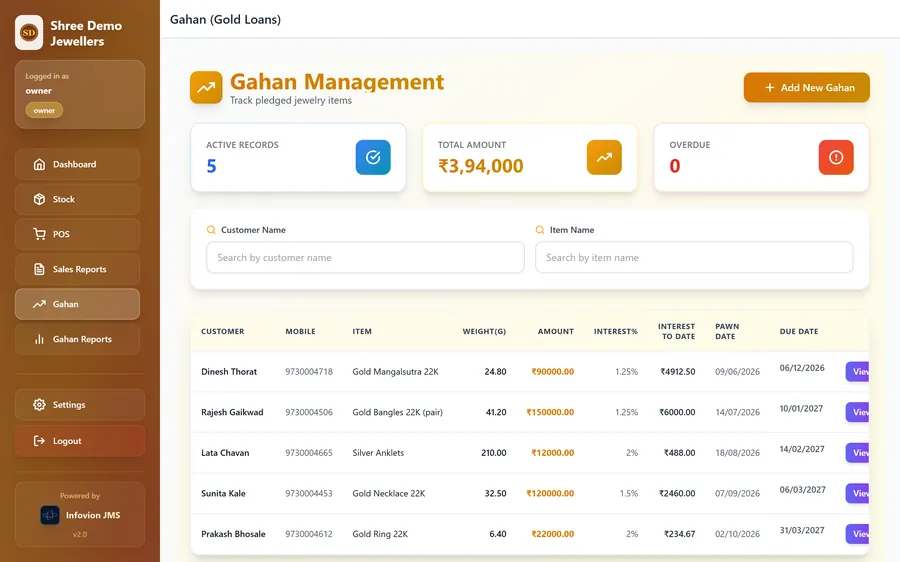
Record each pledge with the item, weight, purity, amount and interest rate. JMS shows the interest built up on every pledge to date, highlights what is overdue, and on release shows principal plus interest — and records the interest you actually received.
- Interest to date on every pledge
- Release dialog: principal + interest to collect
- Overdue pledges highlighted
- Printed pledge receipts
- Girvi reports and Excel register
Udhaar ledger
Know who owes what — without the diary.
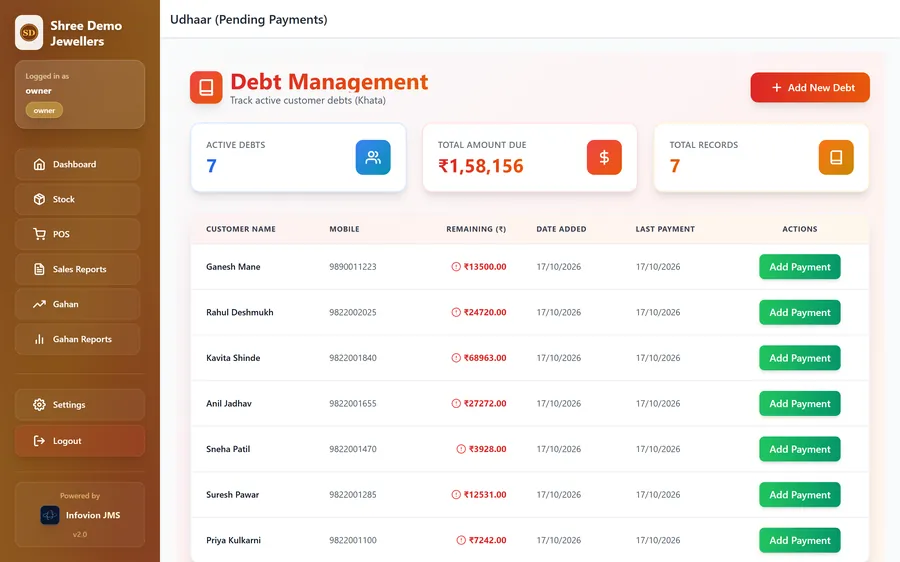
When a customer pays part of a bill, the balance becomes an udhaar record automatically. Add payments as they come in, by cash or UPI, and see the total outstanding at a glance.
- Balances created from bills automatically
- Manual entries for older dues
- Part-payments with method and date
- Total due across all customers
Stock
Stock by piece and by weight.
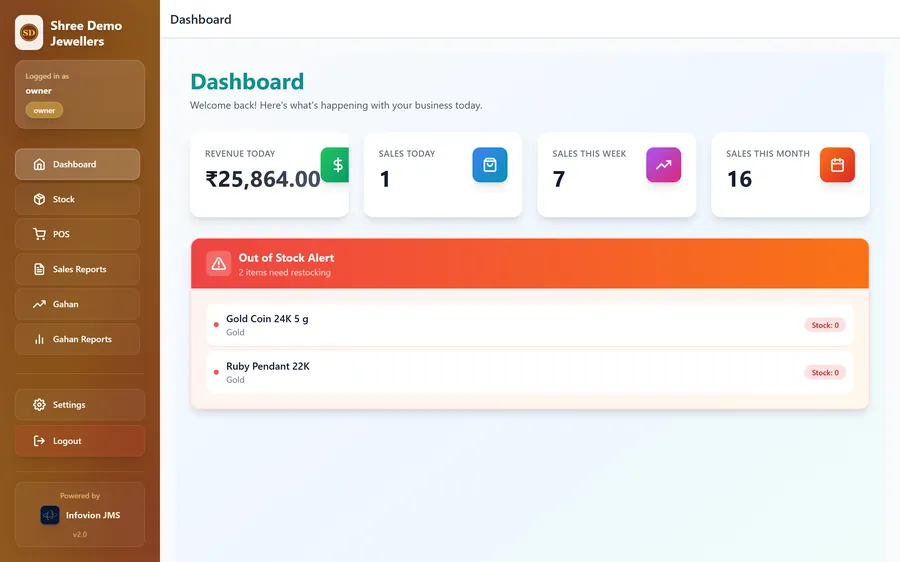
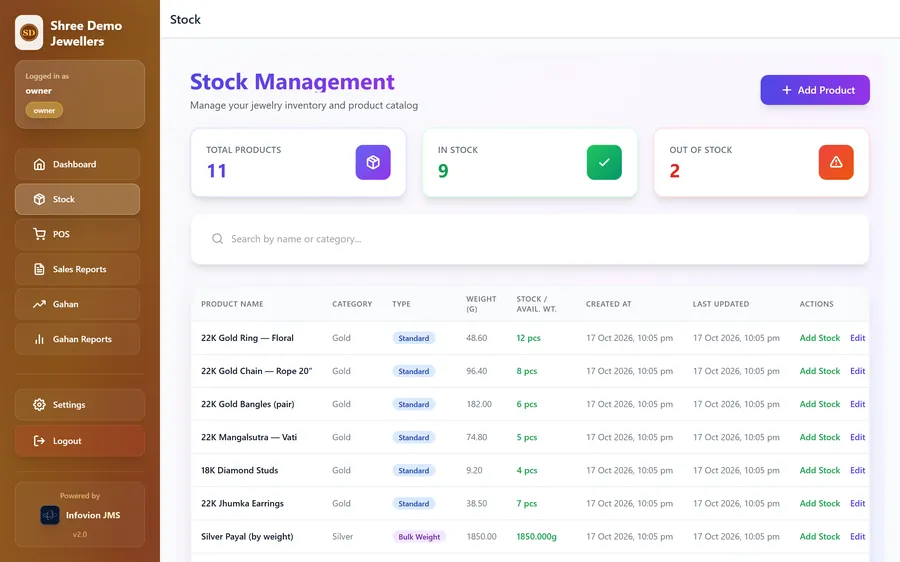
Track finished pieces by count and weight, and loose or bulk silver by weight alone. Stock reduces as you bill, and the dashboard warns you when something runs out.
- Standard items and bulk-weight items
- Restock with added weight
- Out-of-stock alerts on the dashboard
- Category, purity and price per gram
Reports
Sales and pledges, for any period.
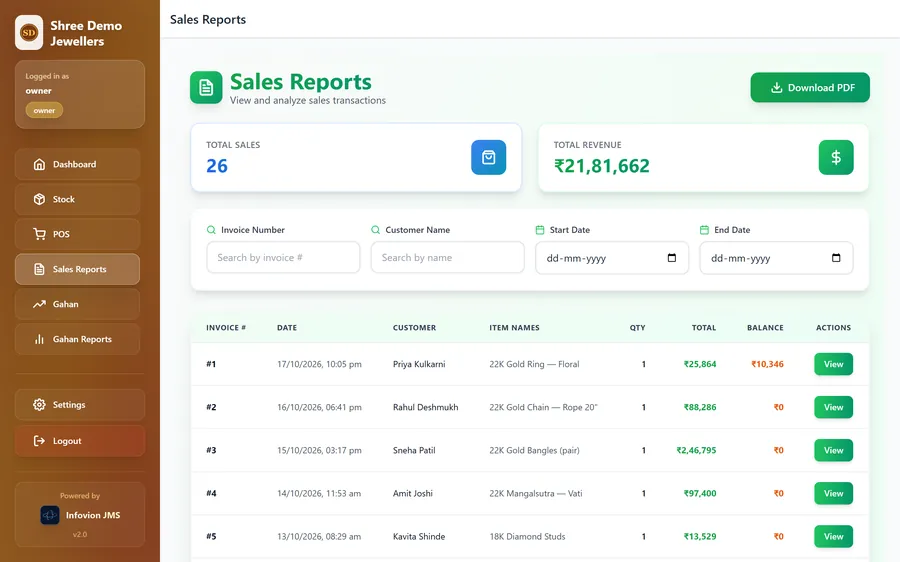
Search every invoice by number, customer or date, reopen and reprint it, and download reports as PDF for your accountant.
- Sales by date range, customer or invoice
- Reprint or re-share any invoice
- Revenue and balance totals
- PDF export
Tally export for your CA
Your books, ready for Tally — in two clicks.
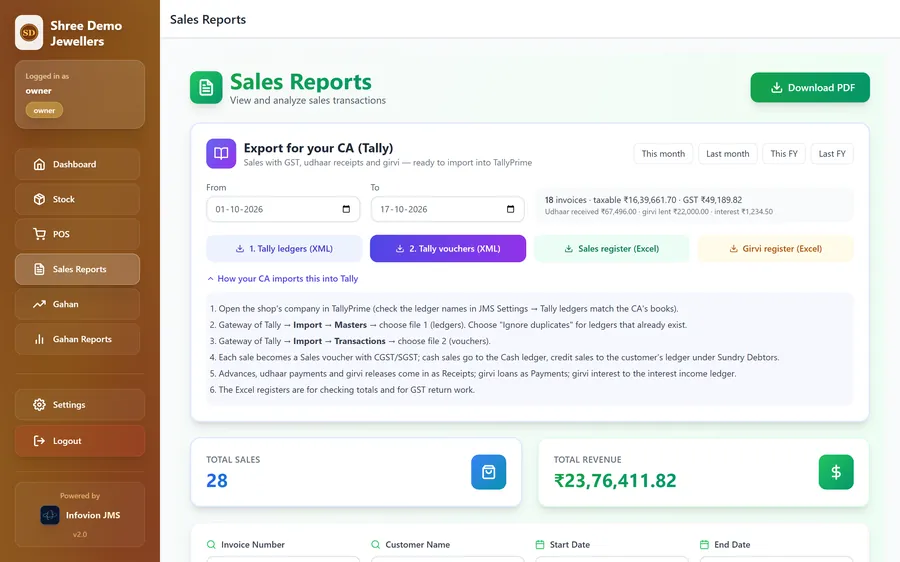
Pick a month or the financial year and download two files your CA imports straight into TallyPrime: the ledgers, and every voucher — sales with CGST/SGST, advances and udhaar receipts, girvi loans, releases and interest. Plus Excel registers for checking totals and filing GST returns.
- TallyPrime XML: ledgers + vouchers
- Sales vouchers with CGST/SGST split
- Cash vs bank receipts kept separate
- Girvi loans, releases and interest income
- GST sales register in Excel
- Ledger names match your CA's books
Why jewellers switch
Generic billing apps weren't built for gold.
| What you need | Paper & calculator | Generic billing app | Infovion JMS |
|---|---|---|---|
| Price from weight, purity & rate per gram | partial | ||
| Making charges per gram | |||
| Old-gold exchange on the same bill | |||
| GST invoice with CGST/SGST | |||
| Girvi register with due dates | notebook | ||
| Udhaar with part-payments | diary | partial | |
| Stock by weight | |||
| Tally export for the CA | partial |
Built for
Made for the way jewellers work.
Retail jewellery stores
Single counters to busy family showrooms.
Gold & silver merchants
Billing by weight with purity on every line.
Girvi / gold-loan desks
Pledges, interest and releases in one register.
Owner + staff
Staff bill; only the owner changes settings.
Any device
Counter PC, laptop, tablet or the owner's phone.
Cloud backed up
No data lost when a computer fails.
Private to your store
Your own installation and database.
Jewellery store outside India?
We deploy JMS for your market — your currency, your tax (VAT or sales tax), karat and fineness standards, and invoices in your language. Gulf, UK, US and beyond: tell us how your store bills today.
Talk to us about your marketComing next
- HUID tracked per piece in stock (tag-level)
- Barcode tags and scan-to-bill
- Daily gold & silver rate board
- Due-date reminders for girvi customers
- Multi-branch stock for chains
FAQ
Jewellery software questions
What is Infovion JMS?
Infovion JMS is jewellery management software for jewellery stores. It handles billing by weight, purity and making charges, GST invoices, old-gold exchange, girvi (gold loans), udhaar (customer credit), stock and reports, and runs in any web browser.
Which is the best software for a jewellery shop?
The right jewellery software prices each piece from its weight, purity, rate per gram and making charge; handles old-gold exchange and GST correctly; and keeps girvi, udhaar and stock in the same system so nothing is entered twice. Infovion JMS is built around exactly these jobs. Ask for a demo with your own items before you decide on any software.
Does Infovion JMS support GST billing?
Yes. GST can be switched on for each bill, and the invoice shows the taxable value with the CGST and SGST split and your GSTIN. Non-GST estimates are also supported.
Can I manage girvi (gold loans) in JMS?
Yes. JMS keeps a full girvi register — item, weight, purity, amount, interest rate, pledge date and due date — highlights overdue pledges, and prints a receipt on release.
Does Infovion JMS work with Tally?
Yes. From Reports → Export for your CA, the owner downloads TallyPrime XML files — the ledgers, and all vouchers for the period (sales with CGST/SGST, advances and udhaar receipts, girvi loans, releases and interest) — which the CA imports through Tally's Import menu. Excel sales and girvi registers are included for checking totals and GST returns.
How is GST calculated on jewellery in JMS?
GST is charged on the full value of the jewellery — metal value plus making charges, less any discount shown on the invoice — and split into CGST and SGST. The default is 3%, as the CBIC's FAQ on gems and jewellery states; the rates can be set to whatever your CA confirms.
Can I record HUID on the bill?
Yes. Each invoice line has a HUID field for the piece's six-character hallmark unique ID, and it is printed on the invoice.
Do I need to install anything?
No. JMS is a cloud web application that runs in any browser on a computer, tablet or phone. You need an internet connection; your data is backed up in the cloud.
Is my data safe?
Each store has its own installation and database. Access is password-protected, staff accounts have limited rights, and only the owner can change settings or create users.
Can JMS be used outside India?
Yes, as a customised deployment: we configure the currency, tax names and rates (such as VAT or sales tax), purity standards and invoice language for your country. Talk to us about your market.
How much does jewellery software cost?
Simple GST billing apps can cost under ₹1,000 a year, while full jewellery ERPs cost much more. Infovion JMS is priced per store on a yearly plan, with setup and training included — book a demo and we'll quote for your counters and modules.
See JMS with your own items. Free demo.
We set up a demo store with your products, rates and invoice format, and walk you through billing, girvi and udhaar — online or at your store in Pune.